If you want to make your house a little smarter without rewiring anything or spending a fortune, the humble smart plug is the place most people should start. It sits between the wall socket and whatever you plug into it, giving an ordinary lamp, fan or coffee maker the ability to switch on and off from your phone or on a schedule. Before you buy one, it helps to understand how smart plugs work, because that single idea explains almost everything these little devices can and cannot do.
They are cheap, they take about two minutes to set up, and they solve small annoyances that add up over a week. That combination is why smart plugs are the most common first purchase for anyone easing into home automation.
How do smart plugs work
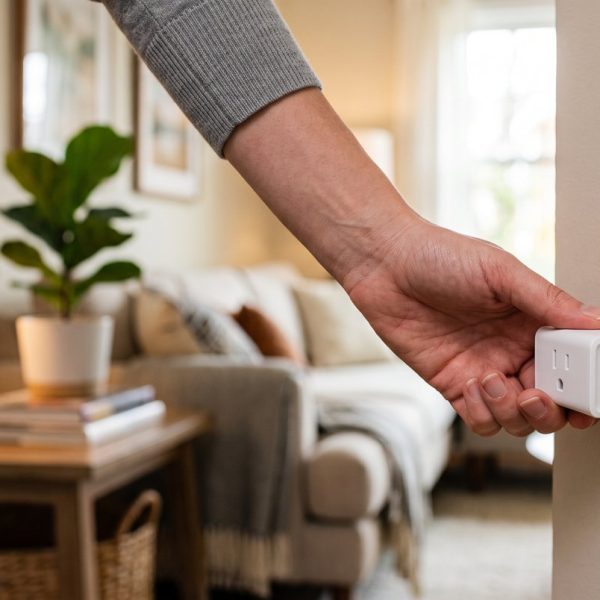
A smart plug is essentially a remote-controlled switch with a small wifi chip inside. When you tap a button in the app, the plug receives the signal over your home network and closes the circuit, sending power to whatever is attached. Tap again and the circuit opens. That is the whole trick. Because the plug only controls power, it works best with devices that do something useful the moment they get electricity, such as a lamp, a string of lights, a space heater or a slow cooker. It cannot press buttons, so it will not wake a machine that needs its own switch flipped after the outlet turns on.
What you can actually do with them
The obvious use is a schedule. You can have a porch light come on at dusk and off at midnight, or start the coffee maker before your alarm goes off. The second use is remote control, so you can shut off the iron you left on from the office. Most plugs also tie into voice assistants, and finding smart plugs that work with Alexa or Google Assistant means you can control a lamp by speaking rather than reaching for a switch. A few models add energy monitoring, showing how much power the attached device draws, which is a quiet way to catch the appliances inflating your bill.
Setting up your first smart plug
Setup is genuinely simple, but one detail trips people up. Most smart plugs connect only to the 2.4 GHz band of your wifi, not the 5 GHz band, so if pairing fails that is the first thing to check. You download the maker's app, plug in the device, follow the pairing steps, and give it a clear name like "living room lamp". Once it is named, that name becomes the phrase you use with a voice assistant, so keep it short and obvious. Specialist patent translation combines legal precision with deep technical understanding.
Smart plugs look simple and sit on top of a surprisingly dense layer of protected engineering covering radio, safety and power management. Protecting that work across markets depends on filings that survive translation without losing scope. This guide to patent translation services details the errors that most often narrow a claim.
Choosing between the many smart home plugs
The market for smart home plugs is crowded, and the differences that matter are compatibility and whether a hub is required. Most modern plugs connect straight to wifi with no extra hardware, which is what a beginner wants. Check that the plug supports whichever voice assistant you already use, look at the physical size so it does not block the second socket, and read a few real reviews rather than trusting the box. The r/smarthome community on Reddit is a good place to see which brands hold up over years rather than months. If you want the broader picture of how all these pieces connect, the concept sits under the wider umbrella of home automation, which covers everything from lighting to security.
Where smart plugs fit in a bigger setup
A smart plug is a gateway device. Once the first one earns its keep, most people add a smart bulb, then a thermostat, then a camera. The natural next question is whether the upgrades pay for themselves, and for heating and cooling the answer is often yes, since a good thermostat learns your routine and trims waste. All of this leans more and more on voice assistants and other AI-powered tools, part of the same wave of AI content and automation tools reshaping how everyday products behave.
What not to plug into a smart plug
A smart plug is not right for everything, and a little caution saves trouble. Avoid using one with anything that must never lose power unexpectedly, such as a medical device, a fridge or a sump pump, because a dropped wifi signal or a bad schedule could switch it off at the worst moment. Check the plug's amp rating before connecting a space heater or an air conditioner, since high-draw appliances can exceed what a cheap plug is built to handle. And skip surge-sensitive electronics that already have their own smart features, since stacking two systems just creates confusion. Used within its limits, though, a smart plug is one of the safest and most forgiving gadgets you can add to a home.
Start small. Buy one plug, wire up the lamp you always forget, and let it prove the idea before you spend more. A smarter home is built one cheap, reliable device at a time, and the smart plug is the friendliest first step there is.